Is Rust ready for Matter? How to build a Matter-over-Thread "Blinky" on the Adafruit ESP32-C6 Feather
For years, the smart home space has promised seamless interoperability. The arrival of Matter, the open-source connectivity standard backed by Google, Apple, Amazon, and Zigbee Alliance, promises to make this a reality. But for embedded developers who prefer the safety, speed, and modern syntax of Rust, a pressing question remains: Is Rust ready for Matter?
The short answer is yes, but with a few caveats.
If you have an ESP32-C6 developer board lying around, you can get a Matter-over-Thread On-Off Light (Matter "Blinky") running with pure Rust. In this post, I’ll share my journey, compare the experience to Arduino and Zephyr RTOS, and walk through the exact steps and source-level modifications required to get the stack commissioned in Home Assistant.
Evaluating the Architecture Spectrum: Abstraction, Footprint, and Concurrency Control #
When choosing a development framework for multi-protocol smart home applications, developers must weigh trade-offs across API accessibility, build toolchain footprint, and concurrency safety:
[ Arduino Core ] ------------------> [ Rust / Embassy ] <------------------ [ Zephyr RTOS ]
- High-level abstraction             - Async/Await Concurrency              - Monolithic RTOS
- Single-threaded / Loop             - Zero-cost memory safety              - Devicetree & Kconfig
- Co-op/blocking scheduling          - Deterministic resource control       - Heavyweight build footprint
- Arduino Core: High-level abstraction with a single-threaded execution loop. While official platforms exist, such as the Matter RGB Light with the Arduino Nano Matter (leveraging Silicon Labs' SiliconLabs/arduino core) or Espressif's ESP32-C6 Matter examples inside espressif/arduino-esp32, Matter implementation is far from a simple "5-minute Blinky" sketch. The developer must navigate the complete commissioning lifecycle (BLE discovery, credential validation, and operational fabric building). When scaling to complex concurrent states (e.g., maintaining OpenThread routing while handling BLE advertisements and I/O interrupts), Arduino's cooperative loop models lack fine-grained thread priority control, and low-level debugging requires external hardware attachments.
- Zephyr RTOS: A full-featured, enterprise-grade real-time operating system. While it natively supports Matter, integrating the upstream Zephyr Project alongside the massive Project CHIP / Matter SDK (connectedhomeip) is nearly impossible without manufacturer-specific SDK customization. Both repositories are massive. Consequently, projects generally rely on vendor-curated distributions like Nordic's nRF Connect SDK, as shown in integration templates like the XIAO nRF52840 Matter Demo. However, configuring these systems introduces significant friction: developers must manage complex Devicetree overlays, Kconfig configurations, large workspace disk footprints, and multi-stage C toolchains.
- Rust (Embassy + rs-matter): A modern, type-safe alternative. By combining the Embassy cooperative async executor with the
rs-mattercrate, developers obtain a high-concurrency async/await runtime that compiles directly to target architectures without an underlying OS layer. Rust provides compile-time data race prevention and memory safety at zero runtime cost. While the ecosystem is newer and requires setting up custom platform target support, it avoids the setup complexity of Zephyr while providing far more deterministic resource safety than Arduino.
Why the ESP32-C6? #
Embedded debugging is a notorious hurdle. If you've researched Nordic Semiconductor boards like the nRF52840, you know the dilemma:
- Ultra-budget boards like the Seeed Studio XIAO nRF52840 are tiny and powerful, but lack debugging headers unless you solder jumper wires to microscopic pads on the bottom or purchase a specialized custom pogo-pin dock (like the XIAO Debug Mate).
- Professional kits like the Nordic nRF52840-DK are bulky, cost around $50, and are a little overkill just to build a simple Matter Blinky example.
- Custom alternatives like the MakerDiary nRF52840 Micro Dev Kit offer integrated DAPLink debuggers but can have spotty documentation.
The Adafruit ESP32-C6 Feather changes the game. Built on a 32-bit RISC-V single-core processor, the ESP32-C6 natively supports Wi-Fi 6, Bluetooth 5 (LE), and Thread/Zigbee (802.15.4). Best of all, it features an onboard USB-to-JTAG debug bridge. You simply plug in a single USB-C cable, and tools like probe-rs or open-source debuggers can step through your Rust code in real-time. No external probes, no soldering, and no headaches.
The Recipe: Step-by-Step Setup #
To build this project, you will need a RISC-V Rust toolchain capable of compiling the C-based OpenThread sources and linking them with your Rust binaries.
1. Install Rust Prerequisites #
Ensure you have the RISC-V target and source libraries installed:
1rustup target add riscv32imac-unknown-none-elf
2rustup component add rust-src
2. Install espup #
The official tool to install the Espressif Rust compiler fork and LLVM toolchains is espup. You can install it via Cargo:
1# Install the espup installer
2cargo install espup --locked
3
4# Run the toolchain installation
5espup install
3. Configure Your Shell #
After installation, you must load the generated environment variables. Run this command in your terminal or add it to your shell profile (.zshrc or .bashrc):
1. $HOME/export-esp.sh
Note: This script adds the cross-compiler (riscv32-esp-elf-gcc) and LLVM/libclang variables to your path, which is critical for compiling OpenThread C sources during the build step.
Patching the Protocol: Forking rs-matter #
During my testing with Home Assistant, I hit a few roadblocks. Upstream rs-matter was originally written with Ethernet and Wi-Fi devices in mind, meaning a few things failed when running a Thread-only stack.
To bridge these gaps, I created a patched fork at melastmohican/rs-matter. Here are the key fixes applied:
Fix 1: Network Commissioning Type Parameterization #
- File: net_comm.rs
Upstream rs-matter hardcoded the Network Commissioning cluster ID to Ethernet. But during BLE onboarding, Home Assistant queries the device for its specific network capabilities. Since this is a Thread device, it must advertise the Thread network commissioning cluster ID (0x0035), otherwise commissioning fails immediately. I parameterized the NetCommHandler to support generic network types (EthernetType, WifiType, ThreadType) so it advertises the correct protocol interface.
Fix 2: Stubbing the Wireless Network Scan #
- File: wireless.rs
During commissioning, Home Assistant speculatively asks the device to perform a Wi-Fi network scan. Because this stack runs Thread-only, Wi-Fi is stubbed out. Originally, this stub returned a NotImplemented error, which caused Home Assistant to panic, halt the onboarding session, and hang in a retry loop. By patching the stub scan function to return a dummy success (Ok(())), Home Assistant is satisfied and commissioning proceeds smoothly over Thread.
Fix 3: Suppressing False Alarms in Logging #
- File: reply.rs
Matter controllers routinely probe the device for optional features it doesn't support, like sleepy-device management or diagnostic clusters. Returning standard status errors like UnsupportedCluster or UnsupportedAttribute is correct, expected protocol behavior. However, rs-matter logged these expected replies as severe warnings. I demoted these logs to debug! so they don't spam the console.
To apply these patches in your project, simply override the dependency in your workspace Cargo.toml:
1[patch.crates-io]
2rs-matter = { git = "https://github.com/melastmohican/rs-matter.git", branch = "esp32c6-thread-fixes" }
The Code: Implementing the Light #
The full example code is available in examples/matter_thread_light.rs. Here are the most interesting parts of the implementation:
1. The Light Control Hook #
To bridge Matter requests to the physical LED:
 1struct LedOnOffDeviceLogic<'d> {
 2    led: Mutex<RefCell<Option<Output<'d>>>>,
 3    state: Mutex<RefCell<bool>>,
 4}
 5
 6impl<'d> OnOffHooks for LedOnOffDeviceLogic<'d> {
 7    const CLUSTER: Cluster<'static> = TestOnOffDeviceLogic::CLUSTER;
 8
 9    fn on_off(&self) -> bool {
10        self.state.lock(|state| *state.borrow())
11    }
12
13    fn set_on_off(&self, on: bool) {
14        self.state.lock(|state| *state.borrow_mut() = on);
15        self.led.lock(|led| {
16            if let Some(ref mut led) = *led.borrow_mut() {
17                led.set_level(if on { Level::High } else { Level::Low });
18            }
19        });
20    }
21    // ... optional lifecycle hooks
22}
2. Launching Coexistence Mode #
To support onboarding, the board must run BLE (to talk to your phone or hub during setup) and OpenThread at the same time. The patched library handles this concurrently:
 1// Run the Matter stack with BLE commissioning + Thread network active
 2let matter = pin!(stack.run_coex(
 3    EmbassyThread::new(
 4        EspThreadDriver::new(peripherals.IEEE802154, peripherals.BT),
 5        crypto.rand().unwrap(),
 6        ieee_eui64,
 7        &kv,
 8        stack,
 9        true, // Use a random BLE address
10    ),
11    &crypto,
12    (NODE, handler),
13    &kv,
14    (),
15));
16
17matter.await.unwrap();
[!IMPORTANT] A Note on NVRAM / Persistence: For simplicity, this example uses a RAM-only Key-Value store (
DummyKvBlobStore) to hold its Matter credentials. Because these credentials are not persisted to Non-Volatile Storage (Flash), the device will completely reset its pairing state on every reboot or reflash. You must remove the previous device from your Matter controller (e.g., Home Assistant) and pair it as a new device each time you re-run the example.
Testing & Commissioning #
Once everything is wired up and your ESP32-C6 is plugged in:
- Flash the firmware:
1cargo run --example matter_thread_light - Monitor the serial log. You should see a terminal-rendered QR Code and a link:
https://project-chip.github.io/connectedhomeip/qrcode.html?c=MT%3AY.1000000000000 - Open your Home Assistant app, select Add Integration -> Matter, and scan the generated QR code.
- Within moments, your phone will establish a BLE connection, pass the Thread credentials (provided by your Thread Border Router), and configure the On-Off Light.
Once commissioned, you can toggle the LED on pin 15 directly from your Home Assistant dashboard!
What it Looks Like in Home Assistant #
When you successfully pair the device, you will see the successful provisioning screen in the Home Assistant mobile app:
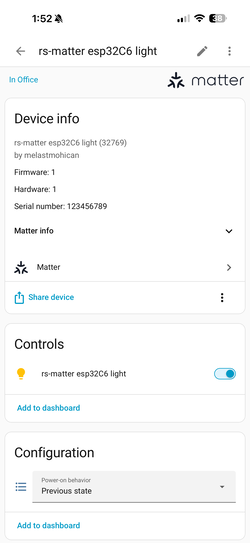
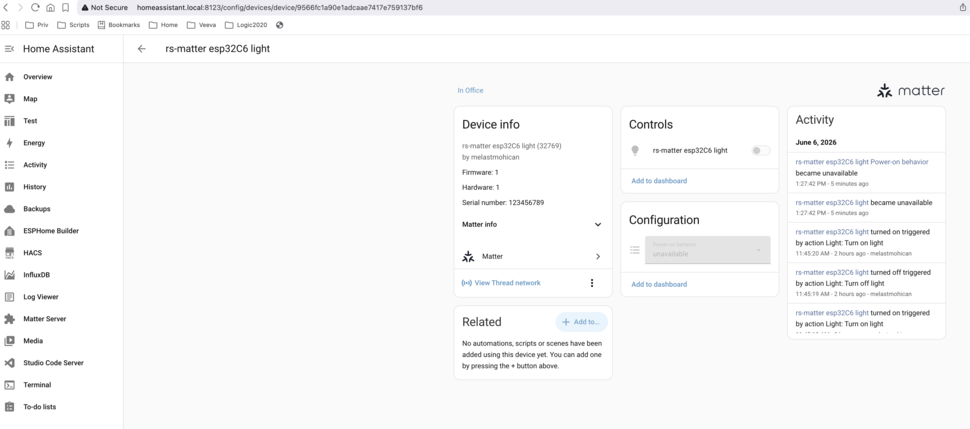
The commissioned device details and diagnostic fields will appear in your Home Assistant dashboard:
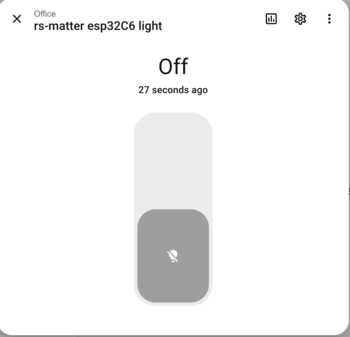
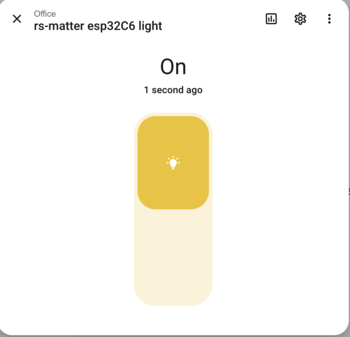
You can toggle the light switch back and forth inside the dashboard:
| Device State: OFF | Device State: ON |
|---|---|
 |
 |
Physical Board Behavior #
Here is the physical behavior on the Adafruit Feather ESP32-C6 board when toggled:
| Physical LED: OFF | Physical LED: ON |
|---|---|
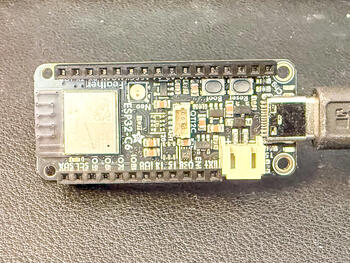 |
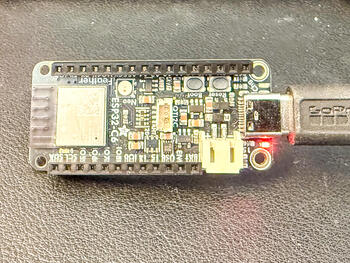 |
Conclusion: Fragmentation and the Hardware Dependency of "Ready" #
Ultimately, the Matter ecosystem remains highly fragmented. No matter which framework you select, be it Arduino, Zephyr, or Rust, you are always heavily dependent on vendor-specific implementations and software adaptation layers to get your devices online. Some silicon manufacturers make this transition much smoother for developers by providing structured platforms and integrated debug support, while others leave you to patch the holes yourself.
Embedded Rust is directly facing this fragmentation. The community is actively building solutions like the Embassy async runtime and the rs-matter stack to normalize the development experience across different hardware architectures.
Consequently, whether Rust is "ready for Matter" isn't a single blanket statement, as it depends entirely on the hardware you choose. If you pick a chip like the ESP32-C6 that features built-in USB-to-JTAG debugging and has maturing asynchronous driver support, the experience is highly productive and absolutely ready for hands-on prototyping.
Have an ESP32-C6 gathering dust? Give it a try! You can find the fully working examples repository at adafruit-feather-esp32c6-embassy-examples.